Open User Map Demo 4 of 30
Demo: Advanced Filtering
Explore Other Demos
Discover, Explore, and Refine with Precision
With Open User Map PRO, you can now offer your website visitors an advanced filter interface that makes exploring your map more powerful than ever. Let users fine-tune the map view by filtering locations based on custom fields like categories, ratings, accessibility options, and more. Whether it’s filtering for pet-friendly locations, top-rated destinations, or places accessible by boat, users can now zero in on exactly what they’re looking for.
This feature brings a new level of interactivity and usability to crowd-sourced maps—perfect for tourism sites, directories, or any location-based community project.
Use the filter panel to the left of the map to explore how filtering works in real-time. Each filter element is tied to custom fields you’ve defined in your map settings—no extra coding required. The map will instantly update to reflect only the matching locations based on the selected criteria.
You can also combine multiple filters—for example, show only top-rated beaches that are accessible by car. Click “Reset Filters” to quickly clear your selection.
This interactive demo shows how the Advanced Filter Interface can dramatically improve the usability and experience of your map.
How to enable
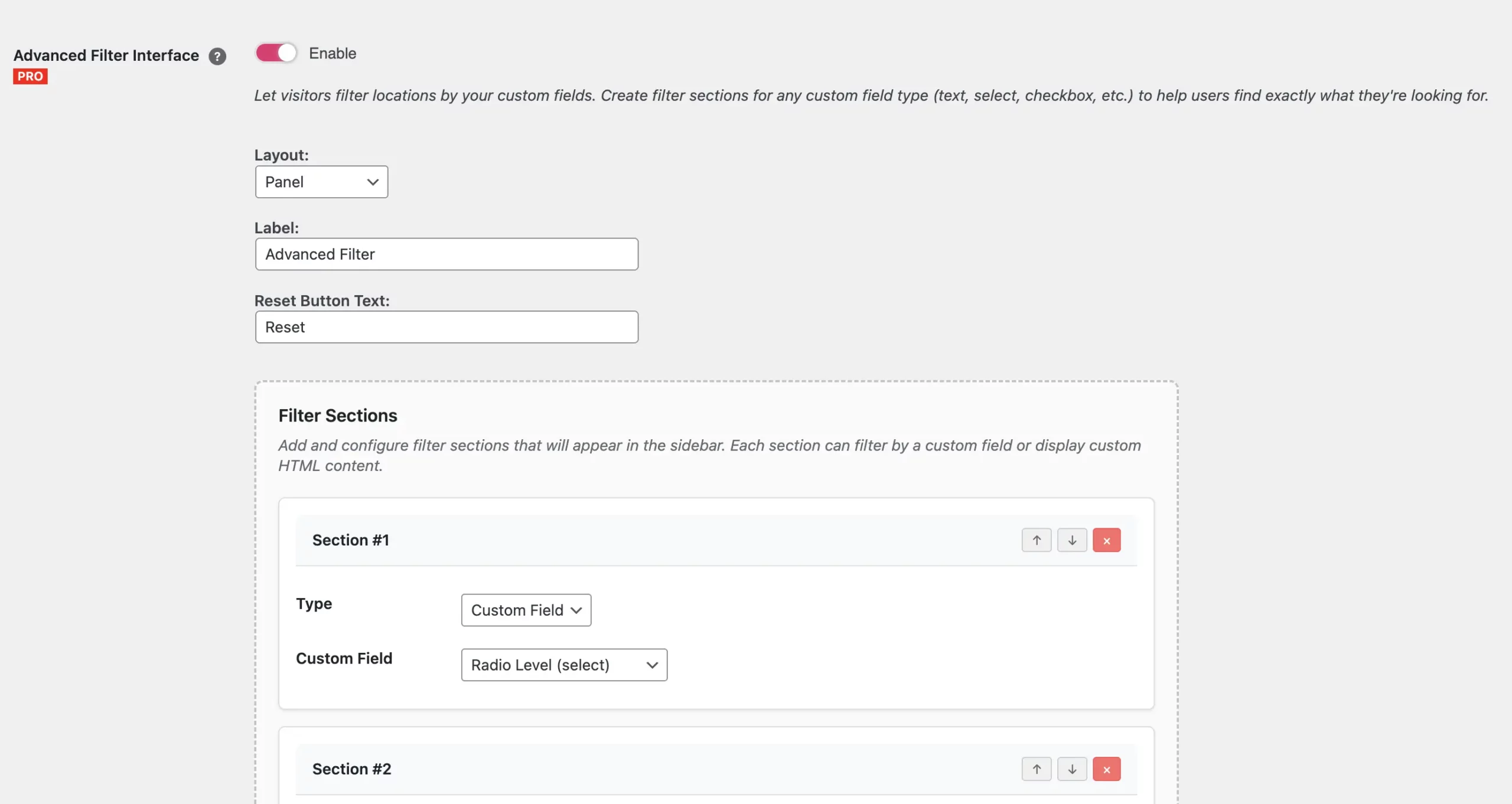
- Go to Open User Map → Settings → Filters & Categories → Advanced Filter Interface and enable
- Select a layout position
- Add Sections and choose which custom fields should appear as filters
- (Optional) Add custom HTML sections
- Save changes
Copyright Note: icons > Freepik, text parts > The Guardian