Interactive Maps for WordPress

Create a map your visitors can contribute to — with frontend submissions, approval workflows, and powerful customization.

No coding, no Google Maps API key, and no complex setup.

🚀 Try Open User Map PRO Free

  • Unlock all PRO features
  • No credit card required
  • No commitment — trial ends automatically after 7 days. It does not turn into a paid subscription automatically.
View Demo

Prefer to start with the free version? Download it on wordpress.org

⭐⭐⭐⭐⭐
100%
5-star ratings
🌍
15,000+
active installs
🏆
#2 map plugin on wordpress.org

Highlighted Features

Website visitors can add and edit their own locations
Allow Website Visitors to Add and Edit Locations Easily

Enable your website visitors to add and edit locations directly on your map. Clicking 'Add location' lets users place a marker and submit details, which await your approval before going live. The editing capability allows users to update their existing locations, ensuring the map always reflects the most current information.

Marker categories
Effortlessly Categorize and Filter Location Markers

Organize your map more effectively by grouping locations into marker categories, each distinguished by unique icons. This setup not only clarifies the map’s layout but also allows visitors to filter through different types. For added flexibility, each location can belong to multiple categories, ensuring that all relevant attributes are represented and easily accessible by users.

Custom Image as Map NEW

Upload any image and transform it into a fully interactive map — whether it’s an overlay, floor plan, event layout, game map, product diagram, campus guide, or seating chart — and allow users to place markers directly on top of it with the same powerful functionality as a traditional map. Add locations, display custom fields, enable filtering, and create an engaging, clickable experience tailored exactly to your use case.
Check out the demo here.

Advanced Filter Interface NEW

Create a filter sidebar that appears next to your map, allowing visitors to filter locations by any custom field you’ve configured. You can also add custom HTML content sections to display additional information or branding, giving users a clearer, more intuitive way to explore your mapped data.
Check out the demo here.

Customize Your Map with Flexible Custom Fields

Enhance your map with tailored custom fields. Add text boxes, links, checkboxes, and dropdowns to suit your specific needs. This feature allows you to gather exactly the information you require from map interactions, making your data collection as comprehensive and user-specific as possible.

Upvotes & Likes for Locations
Upvotes & Likes for Locations NEW

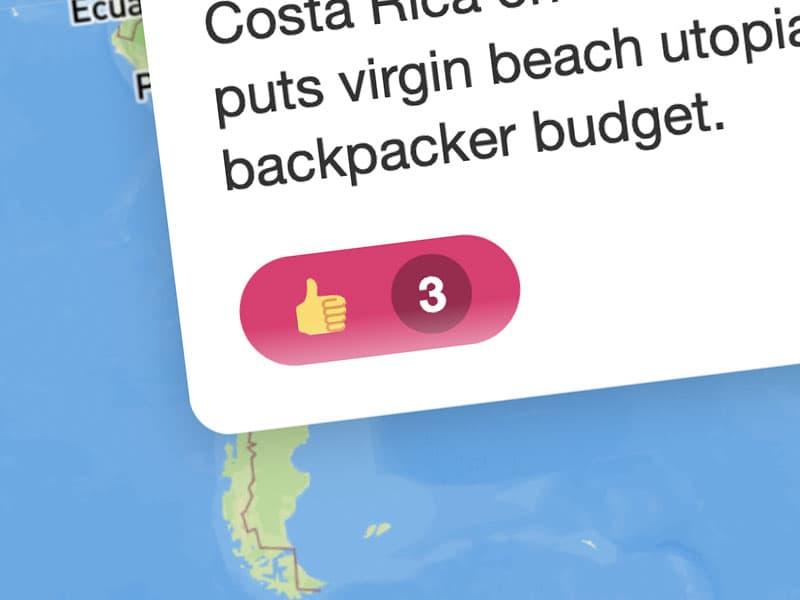
Allow your visitors to upvote or like locations to help you highlight the best places or flag inappropriate content. This feature is perfect for community-driven maps.

Star Rating for Locations
Star Rating for Locations NEW

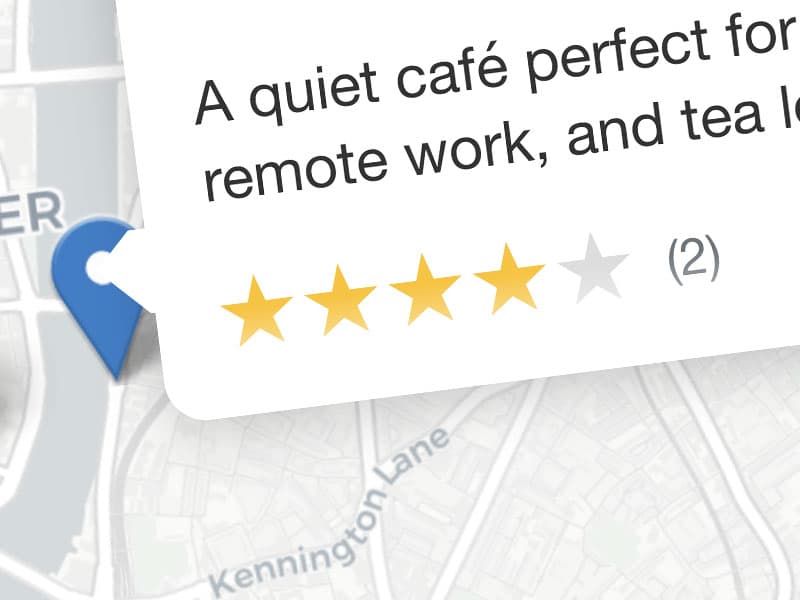
In addition to the Upvote feature, you can now enable a full 1–5 star rating system. Let your community rate locations and highlight the best places automatically.

Opening Hours including a live “Open Now” indicator
Custom Field Type: Opening Hours NEW

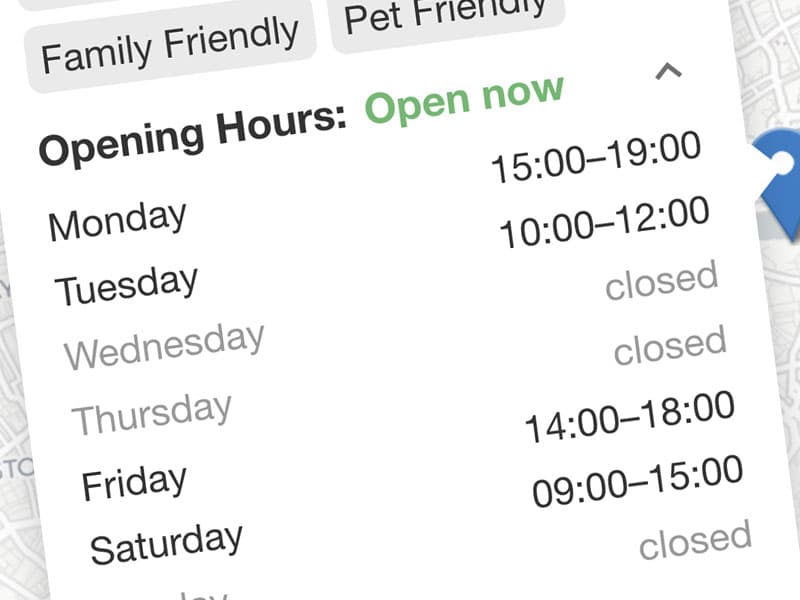
Display beautifully styled business hours including a live “Open Now” indicator based on the current time. Perfect for directories and local business listings.

Regions 🥳

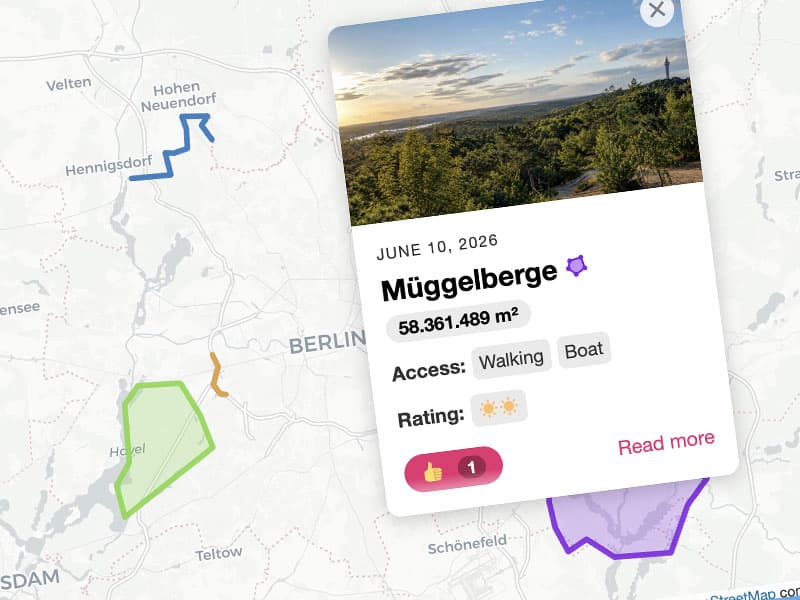
By using the Regions feature, you can create boundaries and designate areas of interest, such as neighborhoods, districts, cities, or even custom areas tailored to your specific needs. For example, a tourism website may use regions to showcase popular landmarks and attractions in different cities or regions.

Gutenberg Block, Elementor Widget & Shortcodes included

The Plugin comes with a Gutenberg Block, Elementor Widget and Shortcodes so you can easily add the map or individual location details to your content. Use custom attributes to generate filtered maps with specific locations.

Beautiful Map & Marker Styles

Choose from a variety of stunning map and marker styles to perfectly complement your website’s aesthetics. Elevate your map’s appearance further by uploading your own custom markers, ensuring a unique and tailored visual experience. Find the style that best fits your site’s theme and enhances user engagement.

Email user notification
Email Notifications for Users & Admins

Keep everyone informed with automatic email alerts. Users receive notifications when their location submission is approved and goes live, while admins are alerted when a new location needs verification. This streamlines communication and keeps the approval process efficient.

Comprehensive settings
60+ Settings for Comprehensive Customization

Customize your map to perfection with a range of settings, including file size limits, post-submission messages, redirects, email notifications, user restrictions, auto-publishing and much more. Fine-tune every aspect to meet your specific needs.

Free Map Source
Free Map Source, No API Keys!

The map is based on the awesome open-source JavaScript Library Leaflet. Unlike other plugins there are no API Keys or Access Tokens are required. Additionally you can use awesome MapBox map styles.

Export & Import 🥳

Effortlessly manage your locations with our CSV Export & Import feature. Whether you're transferring a list of places to your map or performing bulk edits, this tool streamlines the process and saves you time.

Features

Explore the Full Feature Set

From frontend submissions to advanced search, map customization and WordPress-friendly workflows — Open User Map gives you everything you need to build collaborative maps.

Frontend Submission

  • Let visitors add and edit locations from the frontend (optional)
  • Show a custom message, redirect, or refresh after submit
  • PRO Add location submissions to the WordPress registration flow
  • PRO Limit frontend submissions to registered users
  • PRO Redirect guests to your registration form
  • PRO Auto-publish selected submissions

Approval & User Workflow

  • Review and approve new locations before publishing
  • PRO Let users edit their own locations
  • PRO Get admin email alerts for new submissions
  • PRO Notify users when their location is approved

Fields & Forms

  • Add detailed information to every location
  • Hide default fields you do not need
  • Add public and private custom fields
  • Show fields only when needed with conditions
  • Build multilingual maps
  • Customize all plugin texts
  • PRO Use many custom field types

Search & Filtering

  • Search places directly inside the map
  • Show regions as clickable tabs
  • PRO Filter markers live while typing
  • PRO NEW Use the Advanced Filter Interface
  • PRO Add more geosearch providers: Geoapify, HERE, Mapbox

Media, Ratings & Pages

  • Add images and audio to locations
  • PRO Add videos to locations
  • PRO NEW Show opening hours with live “Open Now” status
  • PRO NEW Add star ratings to locations
  • PRO Add like, upvote, flag, or custom vote buttons
  • PRO Create single and archive pages for locations
  • PRO Set max upload sizes for images and audio

Embeds & Shortcodes

  • NEW Use flexible shortcodes with optional attributes
  • Pre-filter maps by location, category, field, user, or date
  • Add maps with a Gutenberg block
  • Add maps with an Elementor widget
  • PRO Display single location values with shortcodes
  • PRO Show all location images as a gallery
  • PRO Export and import locations

Map Styling

  • Choose from multiple map styles, including Mapbox
  • Choose from multiple marker icon styles
  • Override styles easily with CSS
  • PRO NEW Use a custom image as your map background
  • PRO Upload your own marker icon
  • PRO Use custom icons for marker categories
  • PRO Customize UI colors

Map Behavior & Layout

  • Set any map size
  • Add a fullscreen option
  • Group nearby markers with clustering
  • Choose the initial map focus
  • Keep the map fixed to a selected area
  • PRO Add a “locate me” button for users

Support & Compatibility

  • No API keys needed
  • Built on Leaflet.js
  • Fully responsive on all screen sizes
  • Touch-friendly gesture handling
  • Built-in help section inside WordPress
  • Tested with the latest WordPress version
  • Compatible back to PHP 7.0
  • Works smoothly after domain changes
  • PRO Direct developer support
  • PRO Access all future PRO features
  • PRO Suggest features for priority consideration

All the tools you need.

No coding. No API headaches. Just powerful interactive maps.

View Demo

Pricing

STARTER

You want to give it a try? With the basic features of the version you can do quite a lot already. You can easily upgrade to PRO later.

Basic features & customization

Support via wordpress.org forum

FREE

Get it
Best Value

PRO

Start building your project with the feature-packed professionial version and get tons of extra functionality and customization options.

All current and upcoming PRO features

Direct support from the developer

High priority feature requests

$39.99 / year

Lifetime PRO

Just pay once and get all the premium features and support for lifetime.

All current and upcoming PRO features

Direct support from the developer

High priority feature requests

One-time payment!

$279.99 / once

Use Cases

Use Case: Surfspots in Gibraltar

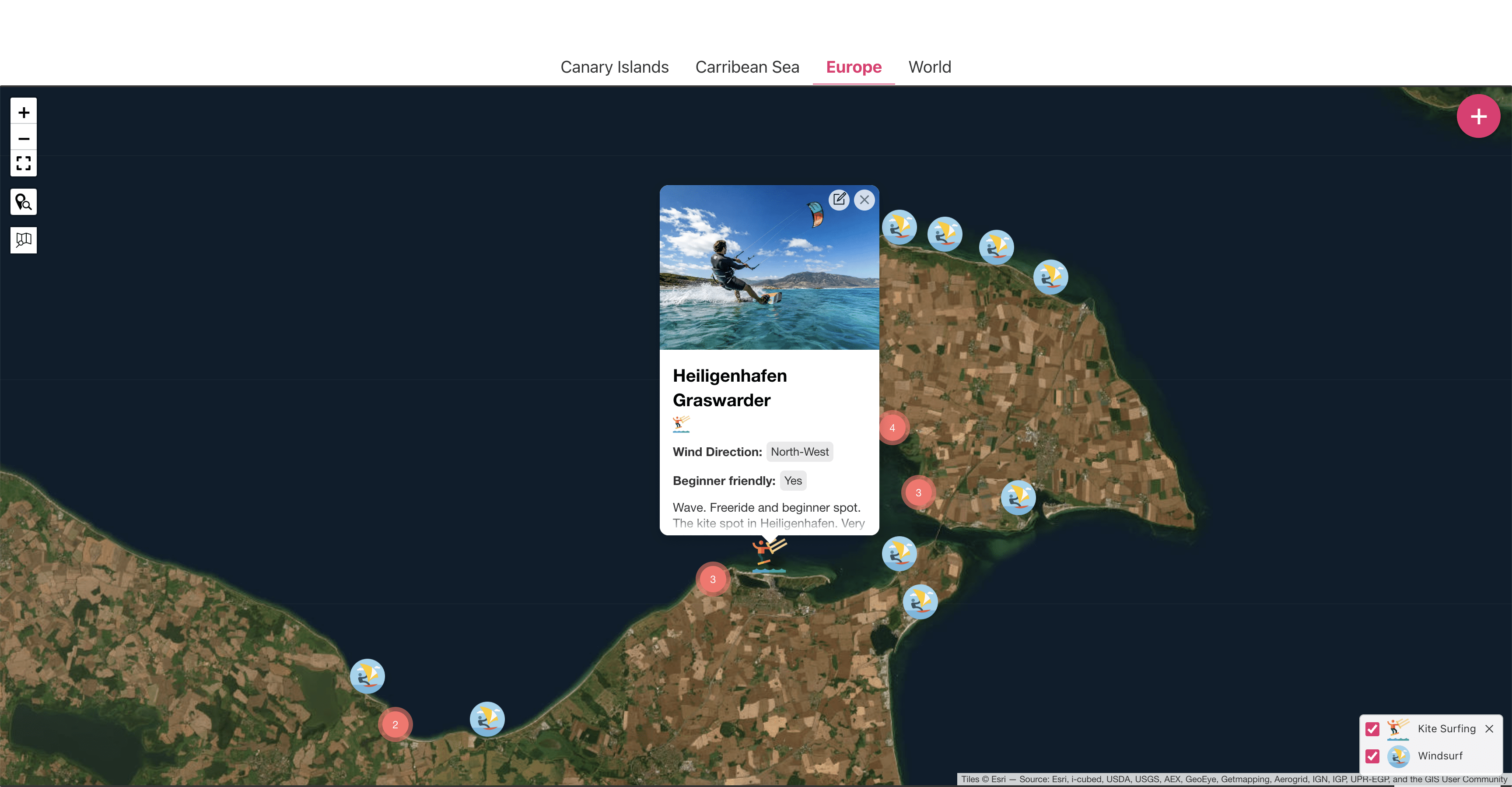
Use Case: 500+ kite & windsurfing hotspots worldwide 🏄🏼‍♀️

We thought it's about time to serve a useful map to all the surfing enthusiasts worldwide. With 500+ kite and windsurfing hotspots oranized by a handfull of regions and detailed information on most of the spots, this was an easy go. Surely this project grows and many cool features will be baked in.

See it

Use Case: Bike Rental 🚴‍♀️

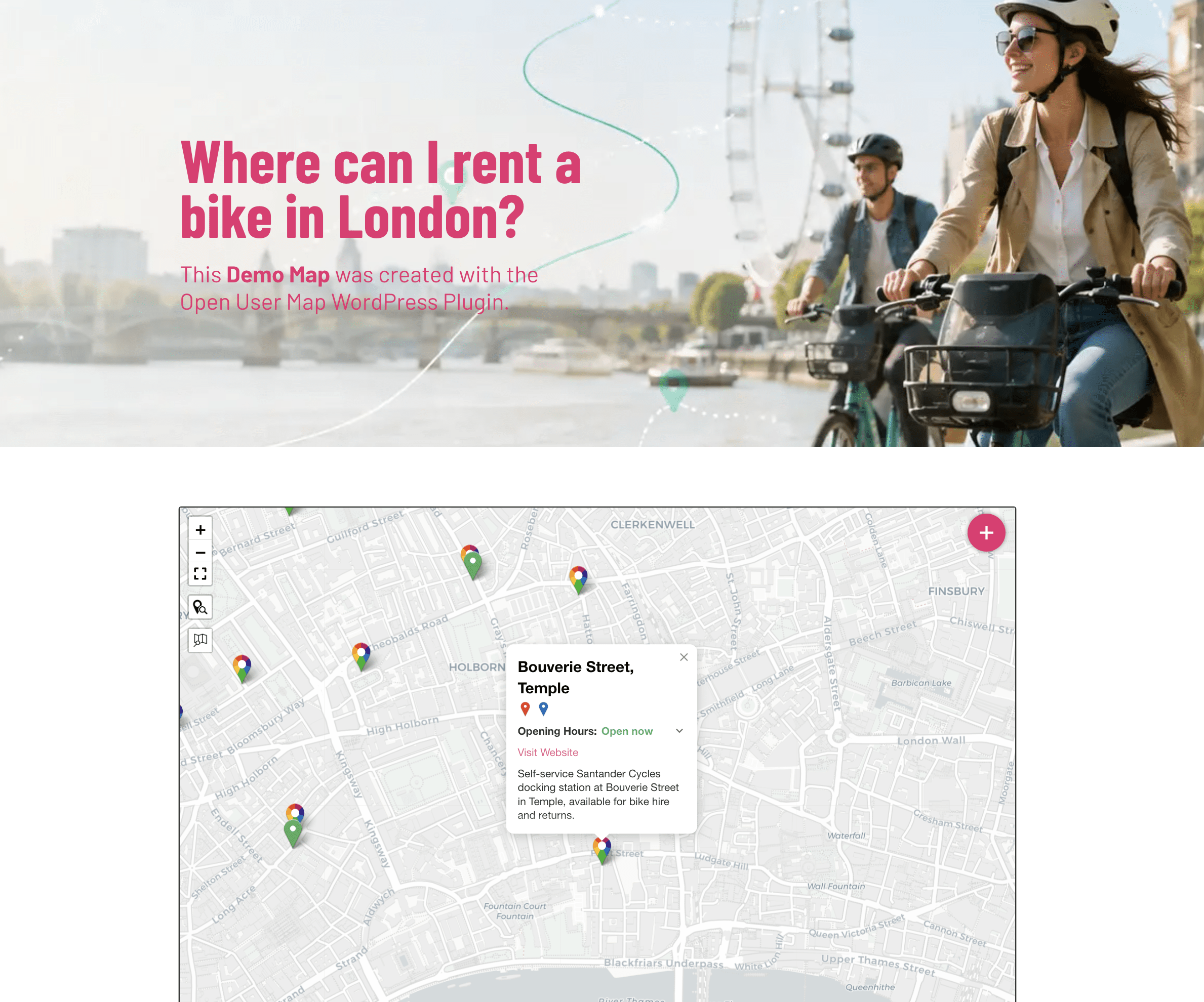
Surely you'd rather roll through the city on a bike than waste your valuable time in traffic jams. Now you can quickly find the right bike rental in your city. And of course YOU can add new bike rentals yourself.

See it
Use Case: Bars & restaurants

Use Case: Bar and restaurant guide

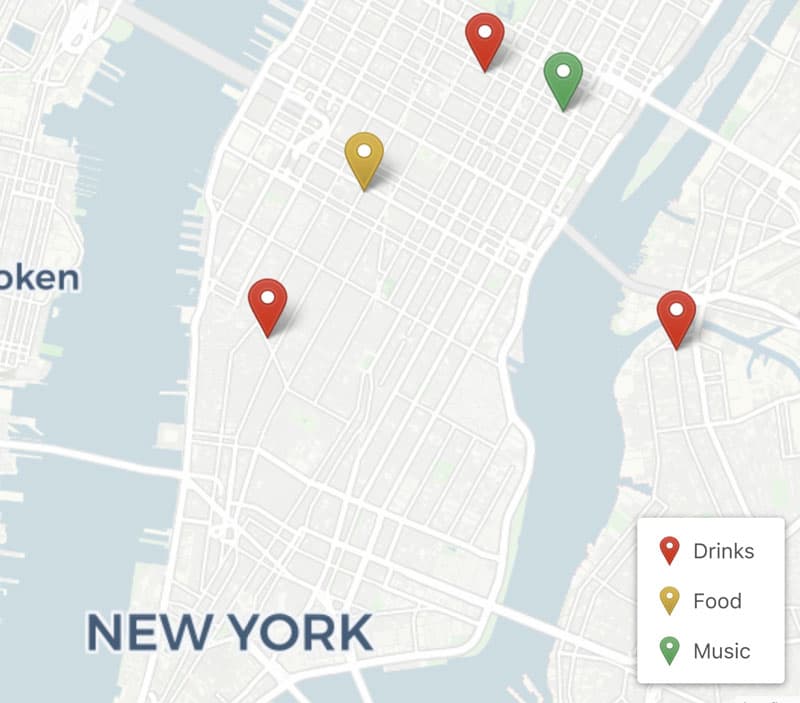
Where are the top locations for food and drinks in your city? Ask your audience for their recommendations! Prepare some categories like food, drinks, music etc. and let them drop the markers right in the frontend. Watch your map grow fast!

Use Case: Community building

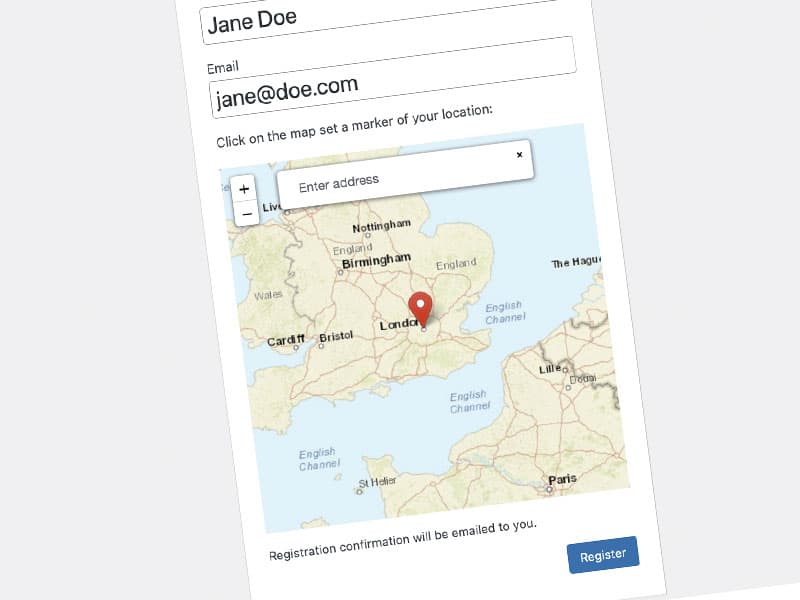
Extend the WordPress user registration form with an "Add location" input. Your new users can drop a marker on the map to share their location. Use it to build an awesome user map and help your audience connecting.

Use Case: Surfspots in Gibraltar
Use Case: Soundmap

Use Case: Sound map

Get your audience a soundmap. Your visitors can not only upload text and images to their locations but audio as well! This way e.g urban (or remote) areas can be discovered by its specific soundscape.

Reviews

Love it
⭐️⭐️⭐️⭐️⭐️

This plugin is exactly what I need, the pro version offers me all the flexibility that I needed (2 personalized icons, automatically approved, updates to my mail, bulk import). The support is also excellent, very professional and friendly.

Nice plugin and great support
⭐️⭐️⭐️⭐️⭐️

I was searching for a plugin where users can easily add locations. This plugin is exactly offering what I was searching for. Beyond that, the support is excellent and especially very fast.

Excellent
⭐️⭐️⭐️⭐️⭐️

The only map plugin that makes life super easy, if you want your website visitors to be able to drop a marker on a map, fill out some additional information, and have it added to your core map with approval.

Extremely Useful Plugin & Fast Support
⭐️⭐️⭐️⭐️⭐️

I mostly like the fact that this plugin does not require an API key to work, it is easy and simple to use, essentially plug and play. Thanks to the team.

A great plugin and a great developer
⭐️⭐️⭐️⭐️⭐️

A wonderful plugin that does everything I need. Easy to use and navigate, as well as to edit and customize the content. Easy for other users to add locations. All in all a good package! And what a wonderful developer! So nice and responsive, makes using the plugin trustworthy and if you run into issues, you're not alone 🙂

Best leaflet map plugin to make a living map
⭐️⭐️⭐️⭐️⭐️

I've tried many different plugins, but most of them use google maps or some other (not free) map systems where they normaly charge you by requests/visits. Here you will need the pro version to use it properly, but you won't have any other expenses other than that. It is totaly worth the money. You will be able to make a LIVING map that it is build by the visitors.

Great plugin and great support
⭐️⭐️⭐️⭐️⭐️

I really don't leave reviews very often but this plugin is exactly what I've been looking for. The free version gives you a bundle of useful tools and the Pro version gives you additional tools to make it your own. Support is quick and easy and a bug was fixed in 24 hours (and over a weekend!). Can't fault that service.

Crystal Clear Map Plugin
⭐️⭐️⭐️⭐️⭐️

This is not another map plugin. You don't have to install complex map frameworks, authorized and payable map hits, other plugins, etc. If you want to collect data (text, images and sound files) from registered or non registered WP users this is the right plugin. You have categorized data, custom map markers, data filters, custom fields, etc all in one map page. Easy to use and very friendly. Thanks Daniel for this great plugin!

Just what I needed
⭐️⭐️⭐️⭐️⭐️

Open User Map has the exact functions I was looking to implement on my site. Easy to setup and have running right away. The developers are very helpful and working actively to update and add features and support the users in a timely fashion. Great job!

Great plugin with great support
⭐️⭐️⭐️⭐️⭐️

this is a very simple to use and light weight plugin that perfectly delivers what is promisses and the support is really fast and attentive. after having searched for awhile the features it shows i truly recommend Open User Map for those looking for an easy and straigh forward usage, integration and open dialogue. don’t let the good reviews it gets let you thinking we are robots, try it yourself (:

Support

Please see our new support section to find answers or ask for help.

EN